AI Product Photos to Marketing Images in 1 Click
Turn any product photo into a professional marketing image with AI. Choose from 17 styles and 14 platform ratios for Etsy, Shopify, Amazon, Pinterest, and more.
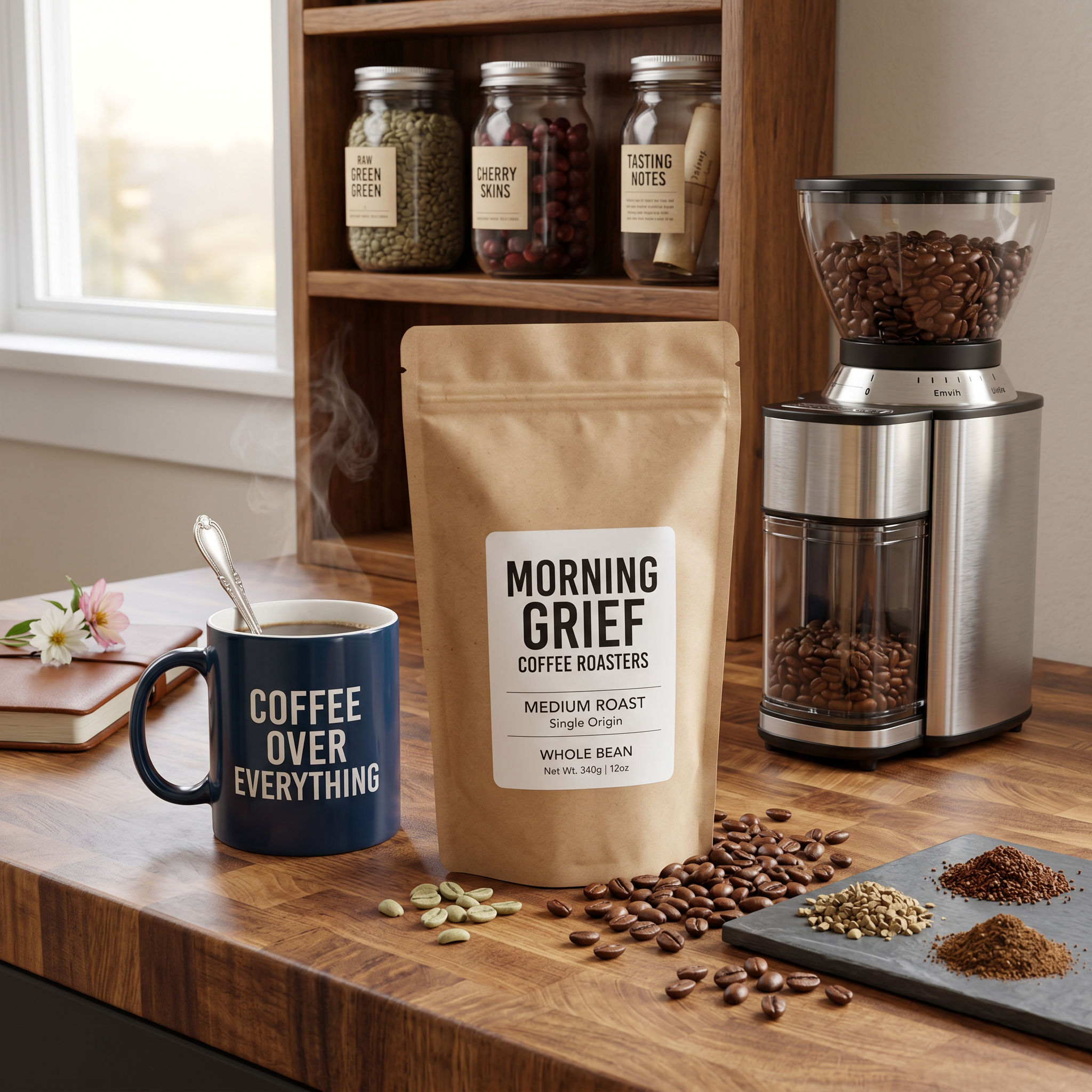
You’ve got a product. You’ve got a phone. You’ve snapped a photo on your kitchen counter with yesterday’s mail in the background. Congratulations - you now have exactly what every Etsy, Shopify, and Amazon seller has: a mediocre product shot and zero budget for AI product photography that actually sells.
I’ve been there. I spent an embarrassing amount of time propping handmade candles on a cutting board, taping white poster board to the wall, and praying the overhead light wouldn’t cast that weird yellow tint it always casts. The photos were… fine. They looked like what they were: someone trying really hard in their apartment.
The gap between “phone photo on my desk” and “marketing image that makes someone stop scrolling” used to be filled by money. A product photographer, a lighting rig, a studio rental. Or hours in Photoshop pretending you know what a clipping path is. That gap just closed.
Why professional marketing images matter for online sellers
Here’s the uncomfortable truth: people decide whether your product is worth buying based on the photo before they ever read your description. I’ve watched my own listings on Etsy get completely different engagement just by swapping the main image. Same product. Same price. Same everything. Better photo, more sales.
This isn’t a surprise. Your product photo is doing the job of a storefront window, a sales pitch, and a first impression all at once. On platforms like Pinterest, TikTok Shop, and Instagram, you’re competing against brands with actual photography budgets. A product shot taken on a messy desk next to a coffee mug isn’t going to cut it.
And it’s not just about looking “nice.” Each platform wants different things. Pinterest loves tall vertical images. Instagram wants that 4:5 ratio. YouTube thumbnails need to be wide. TikTok is vertical again but different dimensions. Creating professional product photos for Etsy, Shopify, and everywhere else you sell means reformatting the same shot over and over - or just… not doing it, which is what most sellers choose.
The old options (and why they’re a pain)
You can absolutely get professional marketing images the hard way. I’ve tried all of these:
- Hire a product photographer: Great results if you can afford $200-500 per session, schedule around their availability, ship your products to their studio, and then wait a week for edits. Oh, and every time you launch a new product, you do it all again.
- DIY lightbox setup: I bought one of those $40 pop-up photo tents. It worked okay for small items. Anything bigger than a coffee mug and you’re back to improvising. And you still need to edit the backgrounds out afterward.
- Photoshop or Canva: Sure, you can cut out your product and drop it onto a stock background. If you enjoy spending 45 minutes per image and the result still looking slightly… off. The lighting never matches. The shadows are wrong. It just looks composited.
- AI background removers: Better. But removing the background is only half the job. You still end up with a product floating on white. That’s a catalog shot, not a marketing image.
None of these turn a product photo into a marketing image that looks like it belongs in a magazine ad or an influencer’s feed. Not without serious time, money, or both.
What you’ll make with the Marketing Image blueprint
ImageFix’s Marketing Image blueprint does something different. You upload a photo of your product - any photo, even a casual one where you’re holding the product in your car - and it creates a complete professional marketing image. Not just a background swap. A full scene with proper lighting, composition, and styling.
Here’s what you get to work with:
- 17 styles to match your brand: Clean Studio, Flat Lay, Lifestyle, Outdoor Natural, Beach/Coastal, Rustic/Handmade, Modern Minimalist, Luxury/Premium, Kitchen & Food, Cozy/Warm, Bright & Colorful, Dark & Moody, Nature/Botanical, Urban/Street, Magazine Editorial, Influencer Aesthetic, and Clinical/Healthcare
- 14 platform-ready aspect ratios: Square for your Etsy listing, 4:5 for Instagram, 2:3 for Pinterest, 9:16 for TikTok and Stories, 16:9 for YouTube thumbnails, plus Facebook, Twitter, and banner formats
- Include People toggle: If you’re part of your brand (and a lot of small business owners are), flip this to Yes and the AI will keep you in the scene. If you just want the product solo, flip it to No
The whole thing costs 14 credits per image. You can run single images or batch process a whole product line at once.
Before and after examples
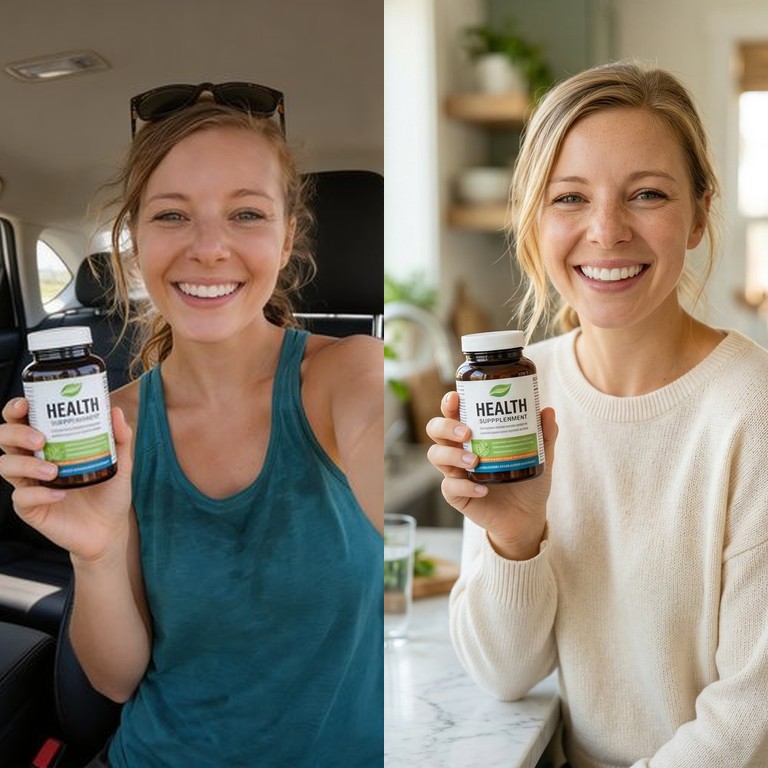
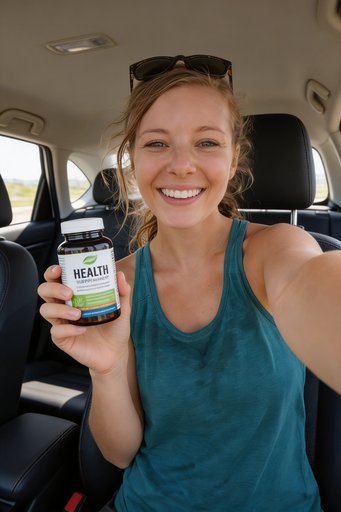
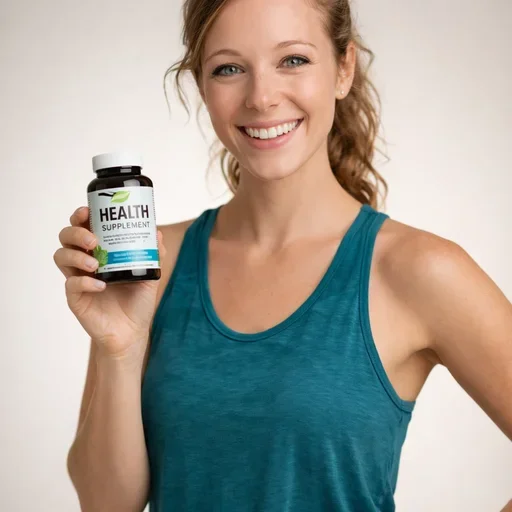
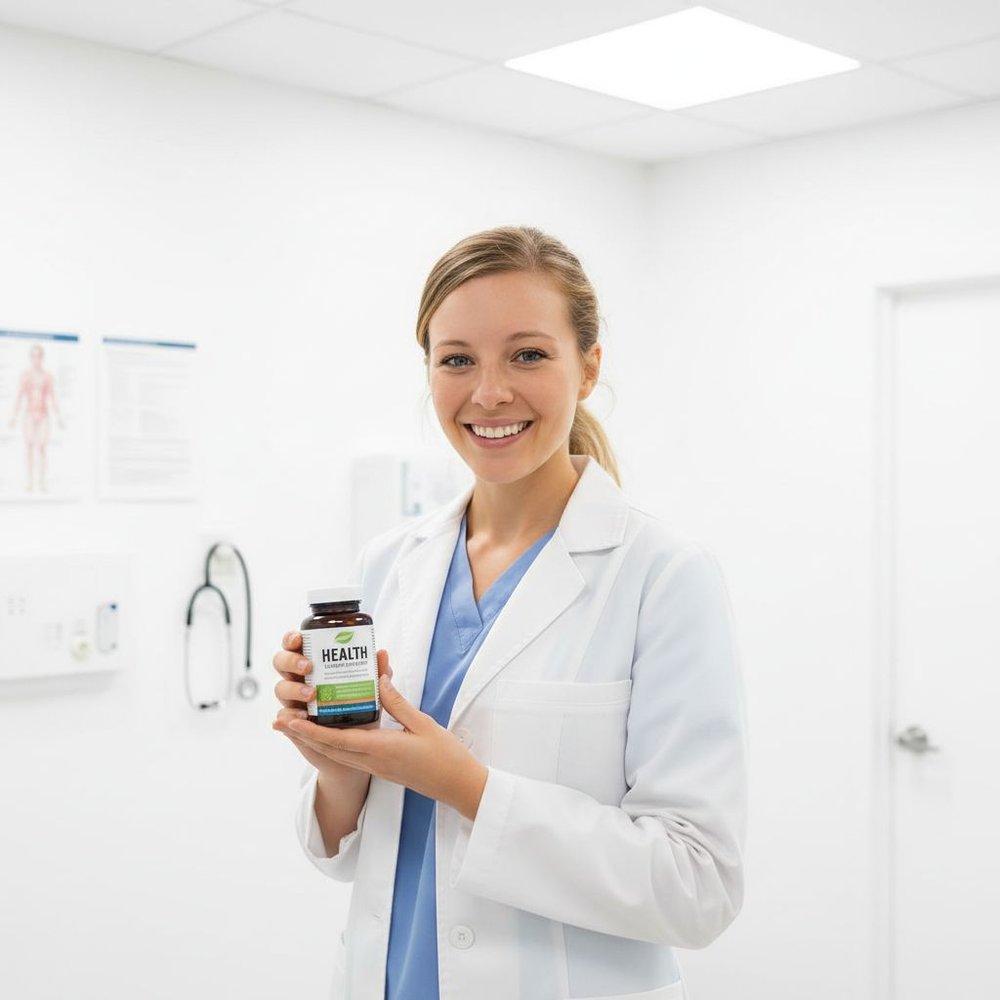
These are all from the same source image - a casual car selfie of a woman holding a health supplement bottle. Upload on the left, AI-generated marketing image on the right.
Lifestyle Style
Kitchen & Food Style

Clinical / Healthcare Style
Product Only (Beach / Coastal)

Same source photo, four completely different marketing images. The first three use “Include People: Yes” so she stays in the scene but the whole setting transforms - from car selfie to lifestyle shoot, cozy kitchen, and clinical environment. The last one uses “Include People: No” and the AI isolates just the product, placing it in a beach scene. One upload, endless possibilities.
Step-by-step: create marketing images with ImageFix
Here’s the whole process. It takes about 30 seconds once you’ve got your product photo ready.
Step 1: Upload your product image
Head to ImageFix and upload a photo of whatever you’re selling. It doesn’t need to be pretty - that’s the whole point. A quick phone snap on your kitchen counter works fine. You can even be in the photo holding the product.
Once the upload finishes, you’ll land on the /editor page automatically.
Step 2: Select the image you want to transform
If you uploaded multiple photos, click on the one you want to turn into a marketing image. The selected image will show up front and center in the editor canvas.
I usually upload a few different angles and run them all through separately. More variations means more options when you’re listing.
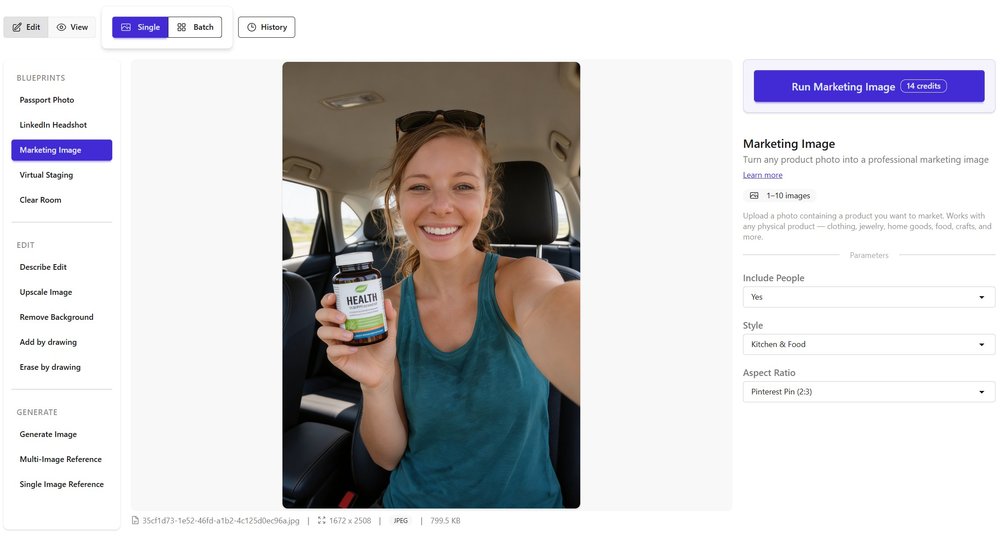
Step 3: Select the Marketing Image blueprint
On the left sidebar, you’ll see a section called Blueprints. Click Marketing Image.
This is where the magic happens. The blueprint tells the AI exactly what to do - identify your product, plan the composition, and generate a professional marketing photo. You don’t need to write any prompts or fiddle with AI settings.
Step 4: Choose your options
On the right side, you’ll see three settings:
Include People - Pick Yes or No. If you’re part of your own brand (and honestly, you should be - personal brands sell), set this to Yes and the AI will keep you in the shot, styled for the scene. If you just want the product on its own, pick No.
Style - This is where it gets fun. There are 17 styles to choose from:
- Clean Studio - classic white/grey backdrop, great for Amazon and eBay
- Flat Lay - top-down arrangement, perfect for Instagram and Pinterest
- Lifestyle - product in a natural setting, ideal for Shopify stores
- Outdoor Natural - fresh air vibes for outdoor and wellness products
- Beach / Coastal - summer seasonal campaigns
- Rustic / Handmade - perfect for Etsy sellers and handmade goods
- Modern Minimalist - sleek and contemporary
- Luxury / Premium - high-end feel for premium pricing
- Kitchen & Food - food products, cookware, kitchen gadgets
- Cozy / Warm - candles, blankets, anything hygge
- Bright & Colorful - eye-catching for social media feeds
- Dark & Moody - dramatic lighting for standout products
- Nature / Botanical - plants, skincare, eco-friendly products
- Urban / Street - streetwear, tech, trendy accessories
- Magazine Editorial - polished, publication-ready shots
- Influencer Aesthetic - that curated social media look
- Clinical / Healthcare - clean and trustworthy for health products
You can also leave the style blank and let the AI pick what fits your product best. I’ve found that works surprisingly well.
Aspect Ratio - We’ve preconfigured ratios for every major platform:
- Square (1:1) - Instagram feed, eBay, general use
- Instagram Post (4:5) - optimized for Instagram’s feed
- Pinterest Pin (2:3) - tall format that dominates Pinterest feeds
- Facebook / Twitter (3:2) - social media posts
- TikTok / Story (9:16) - vertical for TikTok and Instagram Stories
- YouTube Thumbnail (16:9) - widescreen for video thumbnails
- Product Card (3:4) - Shopify and ecommerce product grids
Plus a handful more like Wide Banner (4:1), Tall Banner (1:4), and Wide Banner (21:9) for headers and promotional banners.
Step 5: Click Generate
Hit Generate. That’s it. The AI identifies your product, plans the scene, and creates a professional marketing image. The whole thing takes maybe 15-20 seconds.
You’ll see progress updates as it works - validating the image, identifying the product, planning the design, and generating the final result.
Tips for getting the best results
Start with a clear product photo. The AI needs to see what you’re selling. It handles messy backgrounds and bad lighting just fine - that’s the whole point - but the product itself should be visible and recognizable. A blurry shot of something in the dark won’t give you much to work with.
Run multiple styles and compare. I’ve found that the same product can look completely different across styles. A handmade candle looks great in Rustic / Handmade for Etsy, but switch it to Luxury / Premium and suddenly it’s a $45 gift candle. Try 3-4 styles and see which one fits the story you’re telling.
Match your aspect ratio to where you’re posting. This sounds obvious, but I see sellers using the same square crop everywhere. Pinterest wants tall (2:3). TikTok wants vertical (9:16). Your Shopify product page wants a Product Card (3:4). Taking 10 seconds to pick the right ratio makes your listings look intentional.
Why ImageFix for marketing images
- No prompts to write - the Marketing Image blueprint handles the AI instructions for you. Pick your options and go.
- 17 styles, 14 aspect ratios - preconfigured for every major selling platform including Etsy, Shopify, Amazon, Pinterest, TikTok Shop, and more.
- Your product stays accurate - the AI preserves your product’s exact colors, shape, branding, and details. It changes the scene, not the product.
Turn your product photos into marketing images today
Stop spending hours on product photography setups or hundreds on a photographer for every new listing. Upload a photo, pick a style, and get a professional marketing image in seconds.
Try ImageFix free - 50 free credits, no credit card required. Use the Marketing Image blueprint to create scroll-stopping product photos for every platform you sell on.